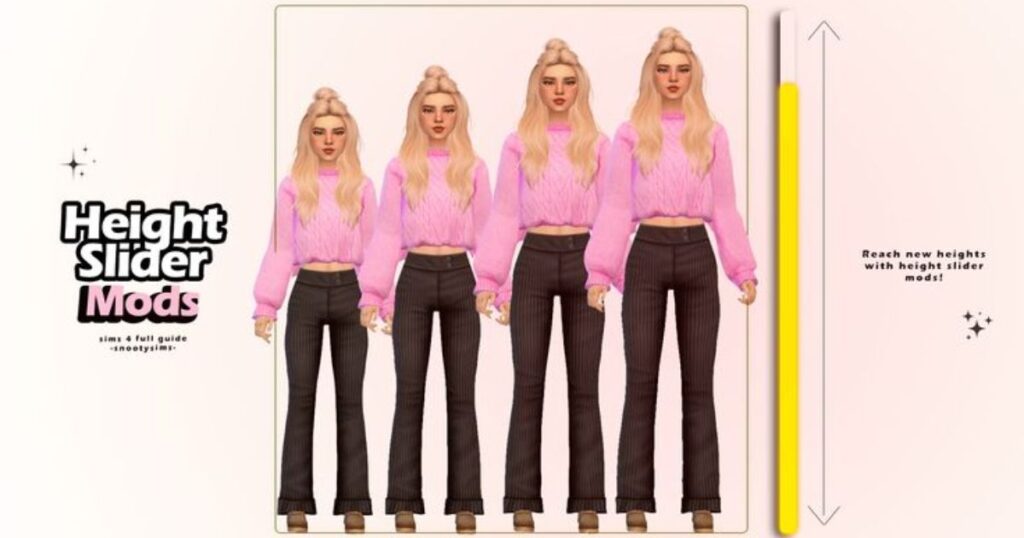
The Height Slider is a popular Sims 4 mod that helps you change how tall or short your Sims look. It removes the problem of every Sim having the same height in the game.
With this mod, Create-A-Sim (CAS) feels more realistic. You can create families with height differences and improve character customization without using cheats or complicated tools.
What Is a Height Slider in The Sims 4?
A Height Slider is a slider mod used inside Sims CAS. It allows Sim height adjustment by dragging instead of choosing fixed body sizes.
This makes body customization more flexible. Your Sims can look unique, realistic, and natural while keeping the game stable and easy to manage.
How the Height Slider Works in CAS
The Height Slider mod works by letting you drag the neck up and down in front view CAS. This changes the Sim’s full height smoothly.
When you adjust Sim height manually, the body scales naturally. It feels simple to use and works well with other CAS body sliders.
Height Slider Features and Presets
The mod includes height body presets for quick use. These include Short Sim, Medium Short height, Medium Tall height, and Tall Sim preset options.
These presets are useful if you don’t want manual changes. They are found in the body section presets and keep proportions balanced.
Manual Height Adjustment for Better Control
Manual editing lets you change the height of a Sim slowly and carefully. This gives better control than presets alone.
When you manually adjust Sim height, small movements work best. This helps keep animations smooth and avoids visual problems.
Compatibility and Known Issues
Because the game was not designed for different heights, animations between Sims of different heights can cause animation clipping issues.
This is normal and expected. The Height Slider still works well if height differences stay reasonable.
Temporary Fixes and Visual Glitches
Sometimes players notice hands or feet disappearing while editing height in CAS. This happens due to game scaling limits.
A temporary solution game restart usually fixes it. Restarting resets visual glitches in CAS without harming saves.
Neck Height Slider
The Neck Height Slider adjusts only the neck length, not the full body. It helps fix posture and head placement.
This neck height slider mod is helpful for fine details and works well with the Height Slider when used carefully.
How to Use the Neck Height Slider in CAS
To use it, drag the neck in profile view. This lets you raise or lower the neck smoothly.
When you adjust neck height, small changes look best. It improves balance without affecting legs or torso size.
Compatibility Between Neck and Height Sliders
Both sliders can work together. However, extreme settings may cause clipping issues between Sims of different neck heights.
Keeping values realistic helps avoid slider conflicts and keeps gameplay smooth.
Hip Shape Slider
The Hip Shape Slider changes the width and curve of a Sim’s hips. It does not affect height.
This hip shape slider improves Sim body proportions, especially when used with height adjustments.
How to Adjust Hip Shape in CAS
To adjust hips, drag the side of the hips up and down in front view. This reshapes the lower body easily.
When you adjust hip width, avoid extremes. Balanced changes keep clothes and animations looking natural.
Using Hip Shape Slider with Height Mods
Using the Hip Shape Slider with the Height Slider helps keep proportions realistic.
When you maintain proportional body scaling, Sims look natural even with different heights.
Game Updates and Version History
The Height Slider mod is updated to stay compatible with game changes, including the Werewolves patch update.
Updates help fix bugs and improve stability for CAS sliders and gameplay.
Understanding Mod Conflicts and Fixes
Conflicts happen when two mods change the same body parts. This may cause slider conflicts.
Updates often fix CAS issues by improving how sliders interact with each other.
Tips for Best Results Using Height Sliders
Avoid extreme heights. Moderate values reduce animation clipping and visual bugs.
Always test Sims in live mode. Watching movement helps confirm Sims of different heights behave properly.
Conclusion
The Height Slider makes Sim creation more realistic and enjoyable. It allows simple Sim height customization without complex tools. When used carefully, it improves storytelling and visual variety.
Combined with neck and hip sliders, it gives better body balance. While minor clipping exists, smart adjustments keep gameplay smooth and immersive.
FAQs
Does the Height Slider affect gameplay?
The Height Slider mainly changes appearance. Gameplay stays normal, but animation clipping issues may appear with large height differences.
Can NPC Sims use custom heights?
Yes, NPCs can have custom heights if edited in Create-A-Sim, but randomly generated Sims still use default heights.
Is the Height Slider safe with other CAS mods?
It is generally safe. However, combining many CAS body sliders may increase mod conflict issues.
Will animations fully support height differences?
Currently, no. The game engine causes visual clipping, especially during interactions like hugging or kissing.
Do updates fix slider problems?
Yes. Updates often fix bugs and improve compatibility, especially after major patches like the Werewolves patch.